
The two leading solutions on the market for creating your website, their advantages and disadvantages.
Today, almost everyone has a website. What about you?
If you already have a website, or if you’re planning to create a new one, you may be at a loss when faced with the sheer number of tools and solutions available to get the job done. How do you know which web solution is best suited to your needs and profile?
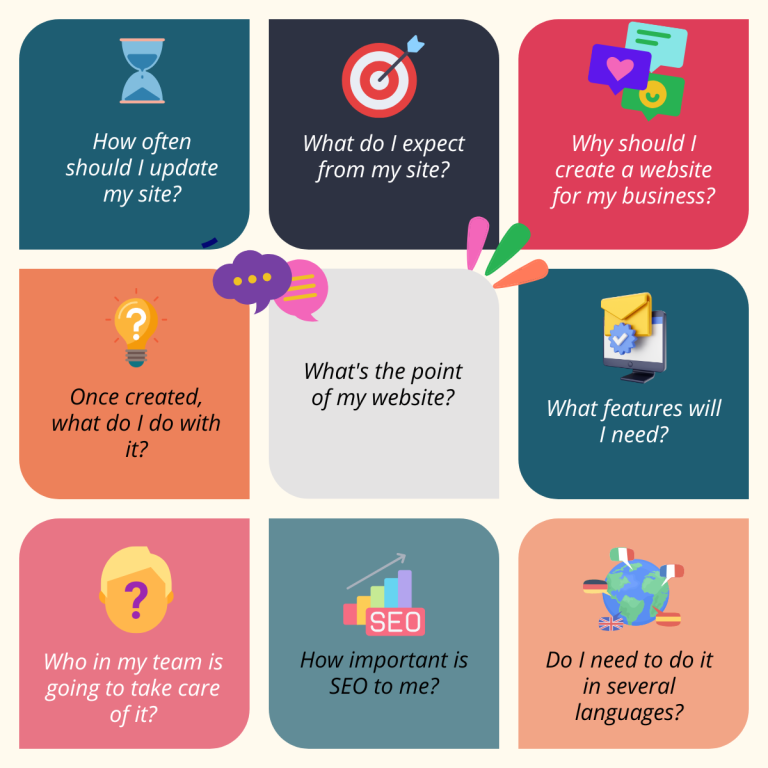
First of all, you need to ask yourself the following questions (and, above all, answer them) :
Today, we’re focusing on 2 of the most widely used website creation solutions on the market: WordPress, an open-source solution, and Wix, a fully integrated solution.
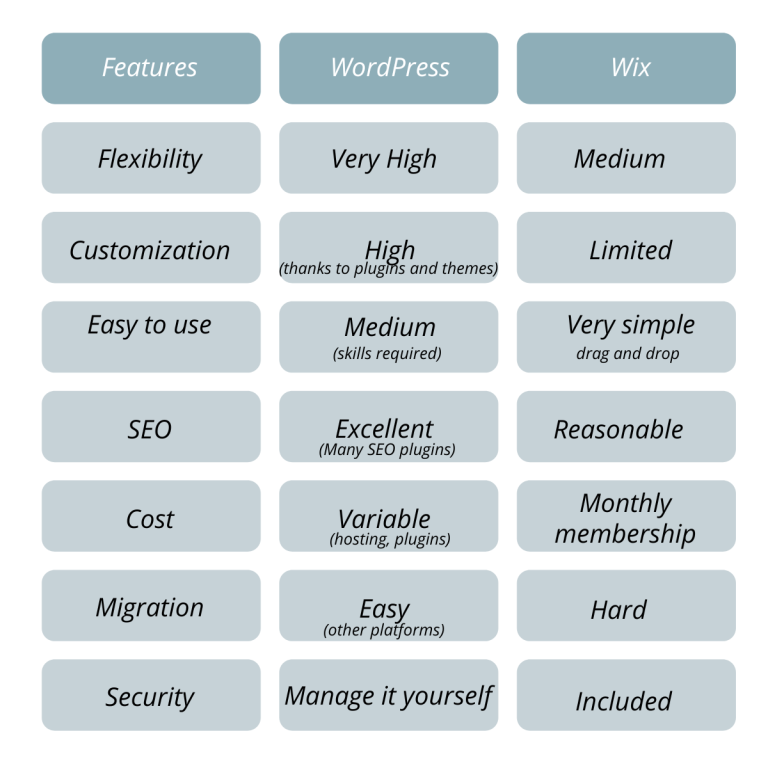
Each has its own advantages and disadvantages, of course, but we’ve put together a comparison with 7 criteria to help you make your choice according to your situation and needs.
1. Flexibility and Customization
WordPress
Open source software is software developed and managed as part of an open collaboration, and made available, usually free of charge, for anyone to use as they wish.
WordPress is an open-source CMS that offers great flexibility. It offers in-depth customization through themes, plugins and direct access to code (HTML, CSS, PHP, JavaScript). With WordPress, you can clearly distinguish yourself from your competitors by releasing “ready-made” templates if you wish: you have control over your website without being forced to follow a prefabricated model and without having to “code”.
It’s ideal for developers or people with technical knowledge, as you can customize everything from scratch.
Finally, you can host your site on the server of your choice.
Wix
Wix is a drag-and-drop website creation platform that doesn’t require advanced technical skills. Select elements and place them wherever you like. Anyone can create a website without any technical skills, making it an excellent choice for beginners.
Customization options are much more limited, as you’re working within a preconceived framework of prefabricated templates and widgets. These templates are not as modular, and coding options are limited.
2. Easy to use
WordPress
WordPress has a higher learning curve, especially if you choose to host it yourself. It requires manual management of hosting, updates, security and so on.
For non-technical users, page builders such as Elementor, Divi and Beaver Builder offer drag-and-drop functionality, simplifying use while retaining the advantage of customization. You can also count on the WordPress user community and WordPress support to help you get to grips with the tool, as well as a large number of tutorials available free of charge. There will always be someone who has asked the question before you!
Finally, once you’ve mastered WordPress, you’ll be able to manage your content quickly and fluidly .
Wix
Wix is very easy to use, perfect for beginners without any technical skills. Creation is carried out via an intuitive drag-and-drop interface, allowing modifications to be viewed in real time.
You don’t need to worry about technical aspects such as hosting, domain name, maintenance, updates or security, because everything is taken care of by Wix.
3. Add-on and Plugins
WordPress
WordPress offers a huge library of plugins (both free and paid) that can be used to add almost any imaginable functionality (design, e-commerce, SEO, forms, newsletter, security, donations, etc.).
Plugins can sometimes cause conflicts or bugs, so you need to be careful when using and updating them.
Wix
Wix Wix offers third-party applications to add functionality such as e-mail marketing, site analytics and integrated SEO, but the selection is much more limited than on WordPress, and more complex features are often not free.
4. Website control
WordPress
You have total control over every aspect of your site (hosting, domain, source code, security, database). Your site and all its content belong to you, and you can easily migrate your site from one hosting provider to another, or to another platform, without any constraints.
However, open source also means that WordPress is vulnerable to attack if plugins and themes are not regularly updated. And maintenance can prove complex for users with no prior knowledge who prefer a turnkey solution.
Wix
Control is more limited. Wix manages hosting, performance and security, which simplifies site management, but also limits your options for technical customization.
So you don’t really own your site, and you don’t have access to the code. As a result, if you ever want to move from Wix to another platform, you’ll run into difficulties, as Wix doesn’t allow you to easily transfer a site to another hosting or platform. If you decide to leave Wix, you’ll probably have to rebuild the site elsewhere from scratch.
5. SEO (Search Engine optimization)
WordPress
WordPress offers a naturally SEO-optimized structure. This CMS is generally considered to be the best in terms of SEO performance, especially with plugins such as Yoast SEO or Rank Math, which enable advanced SEO optimization.
You also have the freedom to optimize your site’s code and infrastructure for high-performance management of the technical pillar of your SEO.
In our opinion, this criterion is of the utmost importance: good SEO will generate traffic to your site and therefore have a non-negligible impact on your business. In the end, in most cases, this is the ultimate goal of your web presence.
Wix
Wix offers integrated SEO tools that are relatively easy to use. Although this system has made progress in terms of SEO, the options are more limited in comparison with WordPress. However, for a non-technical user, the Wix SEO tools available from the dashboard may be sufficient to achieve good results. It all depends on your objectives and how fine-tuned you want your figures to be.
Please note that if you opt for the free version, you won’t own your domain name, which means: wix.domainname.com: in SEO terms, this will clearly restrict your visibility in search engines.
6. E-commerce
WordPress
WordPress, via extensions like WooCommerce, offers a very complete e-commerce solution. You can customize your online store as you wish, with a multitude of payment options, inventory management, product personalization and more.
Wix
Wix also offers an easy-to-use e-commerce solution, but with fewer advanced options than WooCommerce. This is still sufficient for small stores or businesses with basic needs.
In both cases, no commission is deducted from your sales.
7. Cost
WordPress
WordPress.org software is free, but you’ll need to pay for hosting (around €100/year), domain name (from €10/year), and sometimes premium themes and plugins.
Costs may vary according to the services chosen, but this allows for a flexible budget tailored to your needs.
Wix
Wix works on a subscription model. There’s a free version (with limitations like Wix ads and a Wix subdomain), and paid versions (from €11 to €149 / month) that include hosting and some additional features. What’s more, anything out of the ordinary has to be paid for, and is often very expensive. or example: newsletter, contact form, online course booking. Ultimately, this can be more costly in the long run, as you pay every month for the life of your site.
As you can see, both solutions have their advantages and disadvantages. So it’s vital that you ask yourself the right questions to take stock of the skills and resources available to you internally, and to define your needs clearly and precisely.
We recommend WordPress for :
- Those with advanced needs for customization, control and flexibility,
- Those willing to invest time (or call in a professional) to create a more sophisticated site.
- Those who want to feed their website independently
If you opt for WordPress, once you’ve familiarized yourself with it, your choice will undoubtedly be more sustainable over time, especially as your site will be able to evolve with your business.
We recommend Wix for :
- Those who are just starting out and have neither the knowledge nor the time to immerse themselves in a new system
- those who want to create a site quickly and easily,
- those who don’t want to deal with technology.
- small businesses or personal sites that don’t need too many advanced features.